Best Free AI Video Generator for Beginners: No Watermark Options
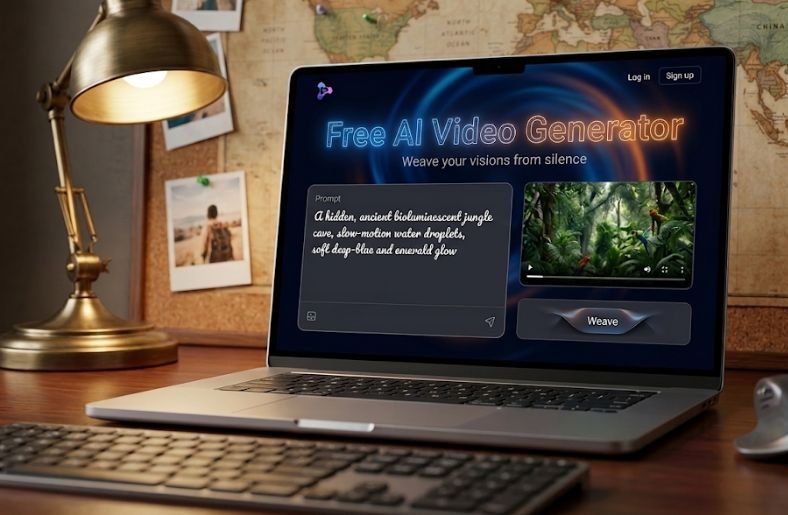
- What Is a Free AI Video Generator
- Why Beginners Should Look for No Watermark Options
- Top Features to Look For in a Free AI Video Generator
- Ease of Use
- Video Quality and Export Options
- Watermark Policy
- Available Templates and Effects
- Best Free AI Video Generators for Beginners in 2026
- CapCut
- Canva
- InVideo
- Pictory
- Runway
- How to Choose the Right Free AI Video Generator for Your Needs
- Tips for Creating Professional Videos as a Beginner
- Final Thoughts
- Frequently Asked Questions
- Is there a truly free AI video generator with no watermark?
- How long can a video be on a free AI video generator plan?
- Do free AI video generators use my data to train their models?
- Can I use videos made with a free AI video generator commercially?
- What is the easiest free AI video generator for someone with no editing experience?
- Do I need a powerful computer to use a free AI video generator?
Creating videos used to require expensive software, editing skills, and hours of work. Today a free AI video generator can turn a simple script or a set of images into a finished video in minutes. For beginners who are just starting to explore content creation, the challenge is not finding a tool that works, it is finding one that does not stamp a visible watermark across every clip. This guide walks through what a free AI video generator actually does, why watermark free output matters so much for new creators, and which tools are worth trying if you want clean, shareable videos without paying for a subscription.
What Is a Free AI Video Generator
A free AI video generator is software that uses artificial intelligence to convert text, images, or audio into a finished video without requiring manual editing skills. Instead of dragging clips onto a timeline and adjusting transitions by hand, you type a prompt or upload a script, and the tool automatically selects visuals, adds voiceover, and assembles the scenes into a coherent video.
Most of these platforms rely on machine learning models trained on large libraries of footage, images, and voice data. Some generate entirely original visuals using text to video models, while others pull from stock footage libraries and match clips to your script using natural language processing. The output quality varies a lot depending on the tool, but for beginners the appeal is the same across the board: you get a usable video without needing to learn complex editing software first.
Why Beginners Should Look for No Watermark Options
A visible watermark across the corner of your video signals to viewers that the content was made with a free tool, and it often looks unprofessional, especially if you plan to use the video for a business page, a client project, or a monetized channel. For someone just starting out, this matters more than it might seem.
Platforms like YouTube, Instagram, and TikTok reward content that looks polished and native to the platform. A watermark can reduce watch time, hurt engagement, and make a video look like an advertisement for the software rather than your own content. It also limits how the video can be reused. A clip you want to repurpose for a client presentation or a paid ad campaign cannot include a third party logo. That is why finding a genuinely free AI video generator with no watermark, even if it means accepting shorter video lengths or limited exports per month, is usually worth the trade off for beginners who plan to publish regularly.
Top Features to Look For in a Free AI Video Generator
Not every free tool is built the same way, so it helps to know what separates a genuinely useful platform from one that will frustrate you within the first few minutes.
Ease of Use
The best tools for beginners use a simple interface where you either type a prompt, paste a script, or upload images and the software handles the rest. Look for platforms with drag and drop timelines, prebuilt templates, and clear instructions rather than tools that expect you to understand technical editing terms from day one.
Video Quality and Export Options
Free plans often cap resolution at 720p or limit exports to a certain number of minutes per month. Before committing to a tool, check what resolution the free tier actually allows, since some platforms advertise HD output but only unlock it behind a paid plan.
Watermark Policy
Read the fine print carefully. Some platforms remove watermarks entirely on the free plan, others only remove them if you complete a tutorial or refer a friend, and some never remove them without a paid subscription. This single detail should guide your decision more than almost any other feature.
Available Templates and Effects
A wide library of templates, transitions, and voiceover options makes it easier to produce something that does not look generic. Beginners benefit from templates built for specific formats, such as vertical video for Reels and Shorts or landscape video for YouTube.
Best Free AI Video Generators for Beginners in 2026
Below are some of the most commonly used free AI video generator platforms that beginners turn to. Availability of features and watermark policies can change over time, so it is worth checking each platform’s current pricing page before you start a project.
CapCut
CapCut is widely used for short form vertical video and includes AI powered tools such as automatic captions, text to speech, and template based editing. Its free plan is generous for beginners creating content for TikTok, Reels, and Shorts, and many of its export options do not include a watermark.
Canva
Canva has expanded well beyond graphic design and now includes an AI video generator inside its free plan. It works well for beginners who already use Canva for other content, since the interface stays familiar and the video tools integrate directly with existing templates and brand kits.
InVideo
InVideo offers a text to video AI feature where you input a script or topic and the platform builds a video using stock footage and AI generated voiceover. The free plan includes a watermark by default, but it is worth checking their current terms since free tier policies are updated periodically.
Pictory
Pictory is popular for turning long form content, such as blog posts or webinar recordings, into short video summaries. It is a strong option for beginners who already have written content and want to repurpose it into video without starting from scratch.
Runway
Runway is known for more advanced generative video features, including text to video generation from scratch. Its free tier is more limited in terms of credits and export length compared to the other tools listed here, but it is worth exploring if you want to experiment with fully AI generated visuals rather than stock footage.
How to Choose the Right Free AI Video Generator for Your Needs
The right platform depends on what you are trying to create. If your priority is short vertical videos for social media, a tool built around templates and captions will serve you better than one focused on generative visuals. If you are repurposing existing written content, a script to video tool will save the most time. If your goal is fully original AI generated footage, you will need to accept more limited free tier credits since that technology is more resource intensive to run.
It also helps to test more than one platform before settling on a workflow. Many free AI video generators allow you to create a handful of videos without any payment information, so you can compare output quality, watermark policy, and ease of use directly before committing time to learning one tool in depth.
Tips for Creating Professional Videos as a Beginner
Even with a capable free AI video generator, a few habits make a noticeable difference in how polished your final video looks. Write a clear, concise script before generating anything, since most tools produce better results from focused input rather than vague prompts. Keep an eye on pacing, since AI generated voiceovers can sometimes read too quickly or too slowly for the visuals selected. Choose templates that match your platform, since a video built for YouTube will look cramped on a vertical feed and a Reels style template will look strange on a widescreen player. Finally, always preview the full video before publishing, since AI selected visuals do not always match the tone of your script perfectly, and a quick manual swap of a scene can improve the overall quality significantly.
Final Thoughts
A free AI video generator can genuinely replace expensive editing software for beginners who are just starting to create video content, especially once you find a platform that skips the watermark. The key is matching the tool to your actual goal, whether that is short form social content, repurposed blog videos, or fully generative AI footage, and testing a few options before settling into a regular workflow. As these platforms continue to update their free tiers and AI capabilities, it is worth revisiting your choice every few months to make sure you are still using the best option available for your needs.
Frequently Asked Questions
Is there a truly free AI video generator with no watermark?
Yes, several tools including CapCut and Canva offer free plans that do not add a watermark to exported videos, though features and limits can change, so it is worth checking their current terms before starting a project.
How long can a video be on a free AI video generator plan?
This varies widely by platform. Some tools cap free exports at one or two minutes, while others allow longer videos but limit resolution or the number of exports per month. Always check the specific platform’s current free tier details.
Do free AI video generators use my data to train their models?
Policies differ by company, and this is a detail worth reading directly in each platform’s privacy policy rather than assuming, since terms can change and vary significantly between providers.
Can I use videos made with a free AI video generator commercially?
Many platforms allow commercial use even on free plans, but licensing terms for stock footage, music, and AI generated voiceovers can differ. Check the specific platform’s license terms before using a video in a paid campaign or client project.
What is the easiest free AI video generator for someone with no editing experience?
Template based tools like Canva and CapCut tend to be the easiest starting point for complete beginners, since they rely on prebuilt structures rather than requiring you to build a video from a blank timeline.
Do I need a powerful computer to use a free AI video generator?
Most of these tools run in the browser and process the video generation on the company’s servers, so you do not need a high end computer. A stable internet connection matters more than local hardware for most platforms.
