25 Free Tools for Startups That Replace Paid Software
- Why Startups Should Use Free Tools
- Free Productivity Tools for Startups
- 1. Notion
- 2. Trello
- 3. Asana
- 4. ClickUp
- 5. Google Workspace Apps (Free Versions)
- 6. Slack
- 7. Zoom and Google Meet
- 8. Calendly
- Free Marketing Tools for Startups
- 9. Google Analytics
- 10. Google Search Console
- 11. Google Looker Studio
- 12. Mailchimp
- 13. Canva
- 14. Buffer
- 15. Ubersuggest and Google Keyword Planner
- 16. AnswerThePublic and Google “People Also Ask”
- Free CRM and Sales Tools
- 17. HubSpot CRM
- 18. Zoho CRM (Free Plan) and Bigin
- Free Design and Website Tools
- 19. Figma
- 20. WordPress.org
- 21. Carrd and Google Sites
- Free Finance and Accounting Tools
- 22. Wave
- 23. Google Sheets (Budget and Cash Flow Templates)
- Free Security and Automation Tools
- 24. Bitwarden
- 25. Zapier and Make (Free Plans)
- Quick Reference: Best Free Tools by Category
- How to Choose the Right Free Tools for Your Startup
- Hidden Costs of “Free” Software
- When to Upgrade to Paid Software
- Final Thoughts
- Frequently Asked Questions (FAQs)
- 1. What are the best free tools for startups?
- 2. Are free business tools really free?
- 3. What free marketing tools can a startup use without a big budget?
- 4. What is the best free CRM for a small business or startup?
- 5. Are free tools safe for business data?
Every dollar counts when you are building a company from scratch. Rent, development, and marketing already eat most of your budget, so paying for ten different software subscriptions can slow you down before you even find your first customer. The good news is that many powerful products offer generous free plans. With the right free tools for startups, you can run projects, design your brand, send emails, track finances, and protect your data without spending a cent.
This guide lists the best free software for small business and early-stage teams, organized by category. You will also learn how to choose tools wisely, avoid hidden costs, and build a lean tech stack that grows with you.
Important note: Free plans change often. Limits, features, and pricing in this list reflect general offerings at the time of writing, so check each tool’s official pricing page before you commit your workflow to it.
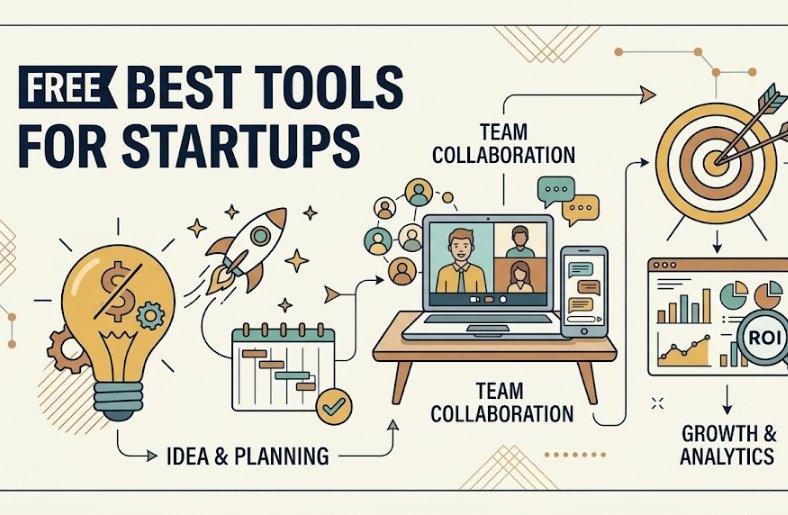
Why Startups Should Use Free Tools
Free software is not just about saving money. It also helps you:
- Reduce your burn rate and extend your runway
- Test workflows before committing to paid subscriptions
- Move faster with tools that need no setup or sales calls
- Stay flexible as your team and needs change
- Learn what you truly need before upgrading
The smartest founders start with free plans and upgrade only when a limit actually blocks growth.
Free Productivity Tools for Startups
Strong free productivity tools for startups keep your team organized, focused, and aligned.
1. Notion
A flexible workspace for notes, wikis, task lists, and project documentation. Many startups use it as a central knowledge base and company handbook.
2. Trello
A simple, visual Kanban board for tracking tasks. It is easy to learn, which makes it a good pick for non-technical teams.
3. Asana
A task and project management tool that works well for small teams planning campaigns, product launches, and sprints.
4. ClickUp
An all-in-one project management platform that combines tasks, docs, goals, and dashboards in one place.
5. Google Workspace Apps (Free Versions)
Personal Google accounts give you Docs, Sheets, Slides, Drive, and Meet at no cost. For a custom business email address, you will need a paid plan, but the free apps are enough for many early teams.
6. Slack
A team messaging app with channels, file sharing, and integrations. The free plan suits small teams that want to cut down on email.
7. Zoom and Google Meet
Free video meeting options for customer calls, interviews, and remote team check-ins.
8. Calendly
Lets prospects and customers book meetings with you without back-and-forth emails. It is especially handy for sales calls and customer interviews.
Free Marketing Tools for Startups
Good free marketing tools for startups help you attract your first customers without a big ad budget.
9. Google Analytics
Tracks website traffic, user behavior, and conversions. It shows which pages and channels bring real results.
10. Google Search Console
A must-have free SEO tool that shows which keywords bring visitors, which pages are indexed, and whether your site has technical problems.
11. Google Looker Studio
Build free dashboards and reports from your analytics, ads, and spreadsheet data.
12. Mailchimp
An email marketing tool with a free plan for small lists, including templates and basic automation. Alternatives with free tiers include Brevo and MailerLite.
13. Canva
A free design platform for social posts, presentations, logos, and ads. It saves you from hiring a designer for every small project.
14. Buffer
Schedule and manage social media posts across multiple platforms from one dashboard. Free plans are limited, but enough to start a consistent posting habit.
15. Ubersuggest and Google Keyword Planner
Use these for keyword research, content ideas, and competitor analysis. Free versions give limited daily searches, which is often enough for a small content plan.
16. AnswerThePublic and Google “People Also Ask”
Find the exact questions your customers type into search engines, then turn them into blog posts, FAQs, and videos.
Free CRM and Sales Tools
17. HubSpot CRM
A popular free CRM for startups. It tracks contacts, deals, emails, and pipeline stages, and it integrates with many marketing and sales tools.
18. Zoho CRM (Free Plan) and Bigin
Alternatives for tracking leads and customers if you want a simple, low-cost customer database.
Free Design and Website Tools
19. Figma
A collaborative design tool for UI mockups, wireframes, and prototypes. The free plan is enough for many early-stage products.
20. WordPress.org
The core software is free, and you only pay for hosting and a domain. Combine it with free themes and page builders to launch a business website quickly.
21. Carrd and Google Sites
Quick, simple ways to build a one-page website or landing page to test demand for a new idea.
Free Finance and Accounting Tools
22. Wave
Free invoicing and accounting software designed for freelancers and small businesses. It helps you track income, expenses, and send professional invoices.
23. Google Sheets (Budget and Cash Flow Templates)
A free spreadsheet is still one of the best ways to build a budget, a cash flow forecast, and simple financial projections.
Free Security and Automation Tools
24. Bitwarden
A free password manager that keeps team passwords secure and helps prevent weak or reused credentials. Basic security hygiene protects both your data and your reputation.
25. Zapier and Make (Free Plans)
No-code automation tools that connect your apps and automate repetitive work, such as saving form leads to a spreadsheet or sending Slack alerts for new customers. Free plans have task limits, so use them for your most valuable workflows.
Quick Reference: Best Free Tools by Category
| Need | Recommended Free Tools |
|---|---|
| Project management | Trello, Asana, ClickUp, Notion |
| Team communication | Slack, Google Meet, Zoom |
| Website and landing pages | WordPress.org, Carrd, Google Sites |
| Design | Canva, Figma |
| Email marketing | Mailchimp, Brevo, MailerLite |
| SEO and analytics | Google Analytics, Search Console, Ubersuggest |
| CRM | HubSpot CRM, Zoho Bigin |
| Accounting and invoicing | Wave, Google Sheets |
| Security | Bitwarden |
| Automation | Zapier, Make |
How to Choose the Right Free Tools for Your Startup
With so many choices, it is easy to end up with a cluttered stack. Use this simple process:
- List your core needs. Start with what you do every day: manage tasks, communicate, sell, and track money.
- Pick one tool per job. Avoid overlapping apps that confuse your team.
- Check the free plan limits. Look at user limits, storage, contacts, and automation caps.
- Look for integrations. Tools that connect to each other save hours of manual work.
- Test with real tasks. Run a one-week trial before moving everything over.
- Plan your exit. Make sure you can export your data if you switch tools later.
Hidden Costs of “Free” Software
Free does not always mean free forever. Watch for:
- Usage limits that force an upgrade as you grow
- Per-user pricing that jumps once your team expands
- Locked features such as advanced reporting, automation, or integrations
- Branding that appears on emails, forms, or invoices on free plans
- Time cost if a tool is hard to learn or set up
Remember that open-source tools and free tiers can be wonderful, but your team’s time is also a cost. Choose tools that fit your workflow, not just your budget.
When to Upgrade to Paid Software
Move to a paid plan when:
- A free limit blocks revenue or customer growth
- You need better security or admin controls
- Support response time matters to your business
- The tool saves more hours than it costs per month
- You need features such as advanced automation or detailed analytics
Upgrade one tool at a time, and only when the return is clear.
Final Thoughts
You do not need a large budget to run a professional startup. With the right free tools for startups, you can manage projects, build a website, market your product, track your finances, and keep your data safe from day one. Start with a small, focused stack, review it every few months, and upgrade only when growth demands it. The goal is not to collect the most tools, but to build a simple system that helps you serve customers faster and keep your runway long.
Frequently Asked Questions (FAQs)
1. What are the best free tools for startups?
Popular choices include Notion or Trello for project management, Slack for communication, Canva for design, Google Analytics and Search Console for tracking, HubSpot CRM for sales, Wave for invoicing, and Bitwarden for password security.
2. Are free business tools really free?
Most offer a free plan with limits on users, storage, contacts, or features. They are free to use, but you may need to upgrade as your business grows. Always review the pricing page and plan limits before relying on a tool.
3. What free marketing tools can a startup use without a big budget?
Google Analytics, Google Search Console, Canva, Mailchimp, Buffer, Ubersuggest, and AnswerThePublic are all useful. Together they cover tracking, keyword research, design, email campaigns, and social media scheduling.
4. What is the best free CRM for a small business or startup?
HubSpot CRM is one of the most widely used free options because it tracks contacts, deals, and emails in one place. Zoho Bigin and other lightweight CRMs are good alternatives for very small teams.
5. Are free tools safe for business data?
Reputable tools protect data with encryption and security controls, but free plans may offer fewer admin and compliance features. Use strong, unique passwords with a manager like Bitwarden, enable two-factor authentication, and review each tool’s privacy policy before storing sensitive information.
